The three problems your meeting room booking system must actually solve
Every UK office has the same complaint about meeting rooms. Your calendar shows a room booking for every hour of the day, yet half the time the space sits empty and silent. The gap between what the booking system reports and what the workplace really uses is now a material cost line, not a minor annoyance.
When you evaluate any meeting room booking system, start with three problems only. First, ghost bookings where a meeting room appears occupied in the booking software but no one turns up, blocking other teams from being able to book rooms at short notice. Second, no show meetings that never release the room booking back into real time room availability, creating double bookings and friction between users who feel the system is rigged against them.
The third problem is the absence of hard utilisation data for workplace management. Most UK companies still rely on Outlook or Google Calendar as a de facto reservation system, which gives you bookings but not actual room scheduling behaviour or space usage. Industry benchmarks from workplace consultancies and occupancy sensor providers such as VergeSense, Density and CBRE’s Occupancy Management reports consistently suggest that 30 to 40 percent of booked time in a conference room or hybrid work collaboration space is never used, which means your office management budget is subsidising empty rooms.
A modern meeting room booking system should treat the calendar as one input, not the source of truth. You want software that can link room booking events with sensors, room displays or check in flows so that bookings convert into confirmed meetings, not theoretical reservations. Without that enforcement layer, you will keep arguing about etiquette and booking rules instead of fixing the underlying system design.
To see the impact, consider a typical 20-room London office that logs 1,000 booked hours per week. If 35 percent of that time is never used, you are paying for 350 hours of lighting, cleaning and opportunity cost with no meetings taking place. A basic enforcement layer that auto-releases rooms after 10 minutes of no check in can recover a large share of that wasted capacity without adding more space.
Integration and enforcement: from calendar invites to real time room control
For a UK office manager, integration is not a feature wish list, it is a risk register. If your meeting room booking system does not integrate cleanly with Microsoft Teams, Google Calendar and your existing meeting rooms AV kit, you will end up running parallel systems that confuse users. The result is more manual management, more shadow spreadsheets and less trust in the official booking system.
Calendar sync must be two way and near real time, so that when users book a meeting room from Outlook or Microsoft Teams the booking software instantly reflects room availability across all room displays and mobile apps. The same applies when they cancel or move meetings, because stale bookings are the root cause of ghost meetings and double bookings that undermine workplace management credibility. Look for software that can trigger automatic release of a room if nobody checks in within a defined time window, using either a panel outside the room or a prompt in the Teams meeting.
Integration should extend beyond calendars into visitor management and access control. When a client visit is logged in your visitor management system, the reservation system should propose an appropriate conference room, book the space and push details to reception without extra desk work. Governance matters here, so align your meeting room booking system with any internal AI or data policies you have already defined in your wider office technology stack, using frameworks such as this practical office AI governance approach from Magic Office which many UK workplace leaders now reference.
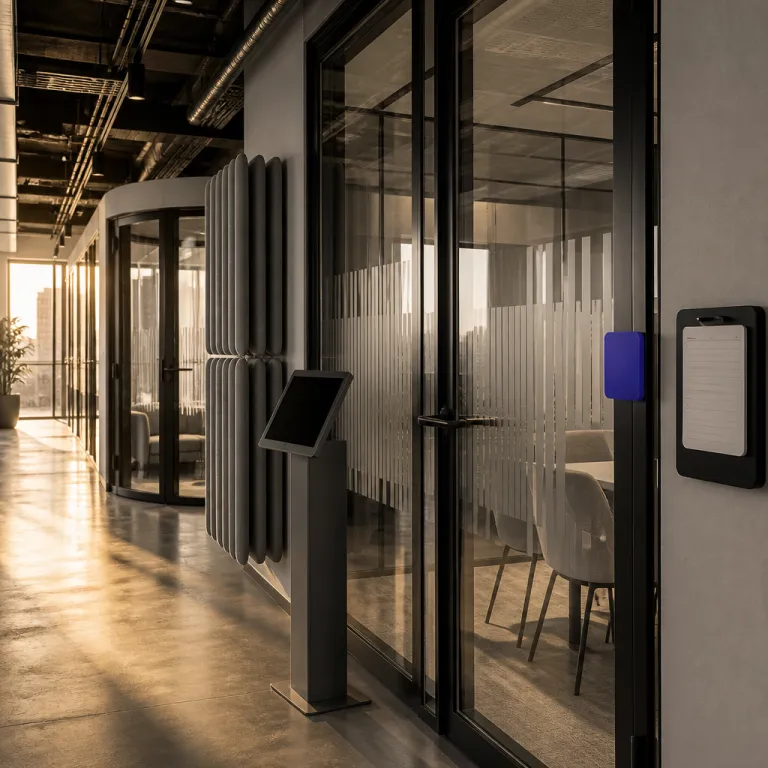
Finally, do not overlook enforcement through physical signals in the workplace. Room displays outside meeting rooms should show live room availability, upcoming bookings and a simple tap to book rooms on the spot, reducing pressure on the central office management team. When the system, the software and the space all tell the same story in real time, users stop arguing with the rules and start trusting the process.
As a simple vendor-neutral checklist, most UK organisations now treat the following as non-negotiable: two-way calendar integration (Outlook, Microsoft Teams, Google Calendar), support for room panels and mobile apps, open APIs for user, room and booking data, webhooks for check in and auto-release events, and configurable enforcement rules such as auto-release after 10–15 minutes of no check in and a target of keeping no shows below 10 percent of all bookings.
The analytics layer: turning bookings into workplace decisions
Once ghost bookings and no shows are under control, analytics become your main lever. A serious meeting room booking system should give you more than a colourful dashboard of bookings and cancellations, because finance and leadership care about utilisation and cost per occupied hour. Your role as office management lead is to translate room scheduling data into decisions about space, spend and service levels.
At minimum, you want reporting on booked time versus actual used time for every meeting room, broken down by team, meeting type and time of day. That lets you see whether small rooms or larger conference rooms are over subscribed, whether certain teams hoard bookings and whether hybrid work patterns create predictable peaks that justify extra desk booking capacity or flexible space. Good booking software will also surface patterns such as recurring meetings that never check in, so you can intervene with specific users instead of sending generic workplace emails.
Analytics should also connect meeting rooms with the wider workplace management picture. If you see that two rooms under 8 square metres run at 80 percent utilisation while a large boardroom sits half empty, you have evidence to reconfigure the office layout rather than guessing. Tools like Skedda, Robin or Condeco can combine desk, room and space data to show whether you should convert underused rooms into collaboration zones, extra desks or even reduce leased space, which matters in a London market where central office demand and utilisation are under constant scrutiny as shown in this analysis of London desk demand from Magic Office.
Finally, link your meeting room booking system analytics with visitor management and HR data where appropriate. If client facing rooms are always full on certain days, you can adjust service contracts, catering and reception staffing to match real demand instead of historical habit. The goal is simple but demanding, to run the workplace on evidence rather than anecdotes about who could not find a free room on Tuesday.
A simple way to make this actionable is to track a small set of core metrics in one view: booked hours versus occupied hours per room, percentage of ghost bookings and no shows, average lead time to secure a room, peak day utilisation by floor and cost per occupied hour. A basic dashboard or table that shows these numbers by week and by team gives you enough evidence to challenge assumptions and support space planning decisions with data.
User experience and admin control: reducing friction for both sides of the screen
Most meeting room booking system projects fail not on features but on friction. If it takes more than a few clicks or taps to book a meeting room, users will revert to emailing reception or blocking out time in their personal calendar, bypassing the official booking system. Your design principle should be that the fastest way to book rooms is always through the approved software, on any device.
From a user perspective, the interface must make room availability obvious at a glance, across rooms, floors and sites. Mobile apps should allow quick booking, extension and cancellation in real time, because people change plans while moving between desks, meeting rooms and other office spaces. Integration with Microsoft Teams and Google Calendar should allow users to add a room to a meeting without hunting through cryptic room names, ideally with filters for capacity, AV equipment and location.
On the admin side, you need strong but flexible booking rules that reflect how your workplace actually operates. That might include limits on how far in advance certain teams can make bookings, caps on recurring meetings, or mandatory check in for larger conference room reservations to prevent ghost bookings. The admin dashboard should let you adjust these rules without raising tickets with the vendor, and should expose clear metrics on bookings, no shows and rule breaches so you can have evidence based conversations with heavy users.
Do not underestimate the importance of training and change management when rolling out a new meeting room booking system. Short video guides, floor walks and visible room displays help users understand how to interact with the system and the space, reducing support queries to your office management desk. When the software feels like a helpful layer on top of the workplace rather than a policing tool, users will respect the rules because they see the benefit in their own time.
One practical approach is to give each floor or team a named “booking champion” for the first month, responsible for answering basic questions and feeding back issues. Combined with a short quick-start guide that shows how to find a room, how to check in and how to release a booking, this keeps adoption high without overwhelming the central office management function.
Running a four week pilot that finance will actually respect
A disciplined four week pilot can turn a meeting room booking system from a nice to have into a defensible investment. Start by selecting a representative slice of your workplace, ideally one floor with a mix of small rooms, a larger conference room and some shared desk areas used by multiple teams. Define clear success metrics before you begin, such as reduction in double bookings, increase in actual room utilisation and fewer complaints to the office management inbox.
During week one, run the new booking software in parallel with your existing calendar based process, but route a small group of power users through the full workflow. Capture their feedback on booking, rescheduling and cancelling meetings, as well as how intuitive the room displays and mobile apps feel in real time use. In week two and three, expand to more users, enforce booking rules such as mandatory check in and start collecting data on ghost bookings, no shows and average time from request to confirmed room booking.
By week four, you should have enough data to build a simple business case for finance. Show how many bookings converted into actual used time, how many rooms were automatically released back into availability and how the system affected desk booking patterns or hybrid work attendance on peak days. If you are also piloting a visitor management system, align your evaluation with a structured buyer framework such as the one outlined by Magic Office for UK visitor management tools, so that your reservation system, visitor flows and workplace management policies form a coherent whole.
Package the results in a short slide deck that links operational metrics to cost and employee experience. Finance leaders respond well when you can show that a meeting room booking system allows you to defer a lease expansion, renegotiate cleaning and catering SLAs or repurpose underused rooms into revenue generating client spaces. In the end, the argument is not about software features, it is about reducing Monday morning friction in the office without increasing your total square metres.
As a one page pilot plan, set explicit thresholds before you start: for example, a 25 percent reduction in double bookings, a 15–20 percent increase in actual utilisation of key rooms, a no show rate below 10 percent after auto-release rules are applied and a measurable drop in room-related complaints. If the system meets or exceeds those targets over four weeks, you have a clear, evidence based case for rollout; if it falls short, you have concrete data to refine the configuration or reconsider the vendor.
FAQ
How is a meeting room booking system different from using Outlook or Google Calendar alone ?
A dedicated meeting room booking system adds enforcement, analytics and workplace management controls that standard calendars lack. It can track real time room availability, release no show bookings automatically and apply booking rules consistently across teams and sites. Calendars remain the user facing layer, but the booking software becomes the operational source of truth for rooms and space.
What integrations are essential for a United Kingdom office ?
For most United Kingdom companies, integration with Microsoft Teams, Outlook and Google Calendar is non negotiable, because these tools already handle most meeting invitations. You should also prioritise connections to visitor management systems, room displays and access control so that bookings translate into a smooth experience for visitors and staff. Where possible, choose software that offers open APIs so you can extend the reservation system as your workplace evolves.
How long should we run a pilot before rolling out to the whole workplace ?
A four week pilot is usually enough to understand how a meeting room booking system behaves in your specific office context. That period lets you capture at least one full cycle of recurring meetings, hybrid work patterns and visitor flows across different teams. The key is to define success metrics upfront and to compare bookings, utilisation and complaints before and after the pilot.
Can a meeting room booking system support hybrid work and desk booking in the same platform ?
Many modern booking software platforms now handle both room booking and desk booking in a single interface, which simplifies training and adoption. This unified approach helps you understand how hybrid work patterns affect both meeting rooms and individual desks, allowing better workplace management decisions. When evaluating vendors, check that the system can show combined analytics for rooms, desks and shared space rather than treating them as separate silos.
What data should we share with leadership to justify the investment ?
Leadership teams respond best to clear links between meeting room booking system data and financial or strategic outcomes. Focus on metrics such as reduction in double bookings, increase in actual utilisation, potential to reduce or repurpose space and improvements in visitor experience. Present these alongside qualitative feedback from users and reception staff to show both operational and cultural impact.